


Nano Banana Prompts: 5 Tested Prompts With Real Outputs (+ 8 Templates)
Five Nano Banana 2 prompts we actually ran, the real first-attempt images, a head-to-head with GPT Image 2, and eight copy-paste templates.

The formula behind every prompt below
[what it is] of [subject] [where it is], [lighting], [style or mood]
That is it. No weights, no magic words. Nano Banana 2 understands plain sentences well, and the clearer each of those four parts is, the closer the first image lands.
5 tested Nano Banana prompts with real outputs
1. Photo prompt
a cinematic photo of a red vintage bicycle leaning against a sunlit brick wall, shallow depth of field, golden hour light
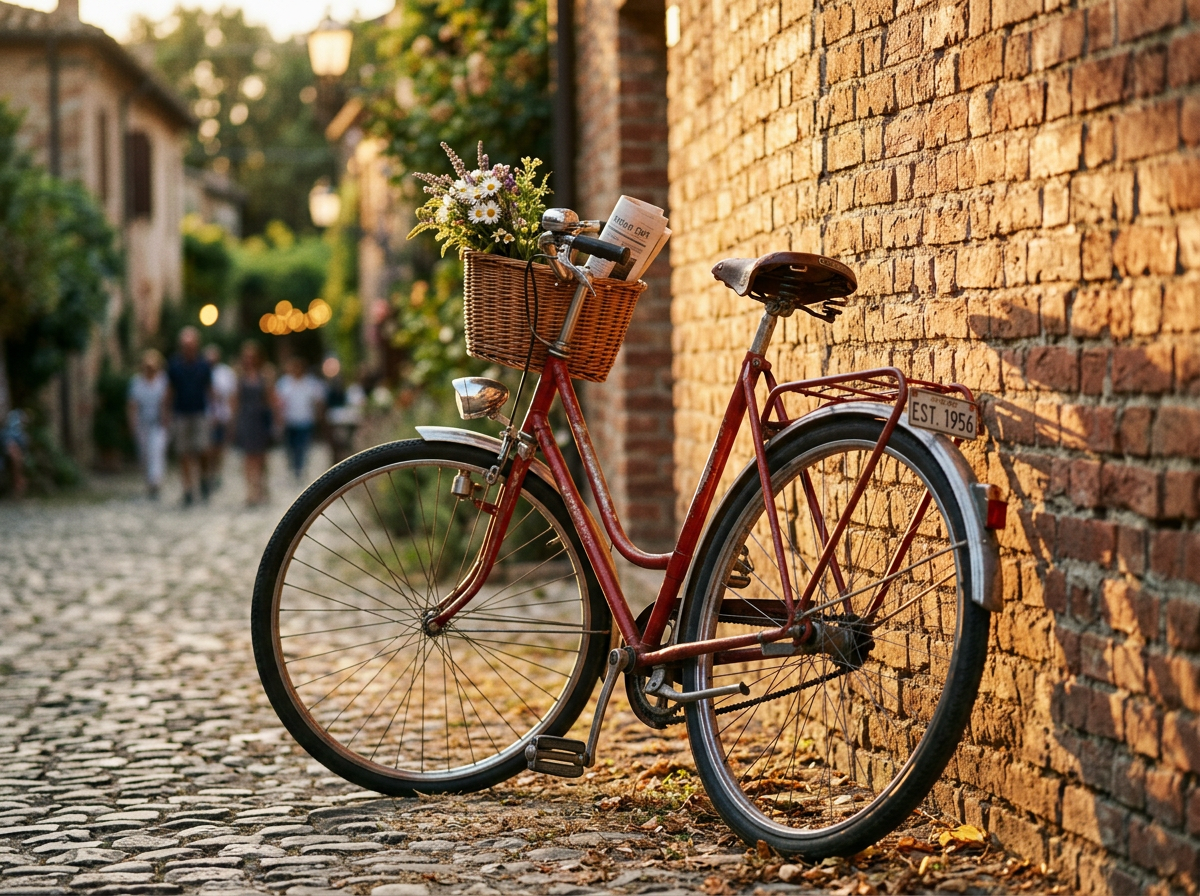
What happened: Nano Banana 2 went beyond the brief: it added a cobbled street, people in the background and a flower basket on the handlebars. Beautiful light, but more scene than we asked for.
See the same prompt on GPT Image 2.
2. Product shot prompt
a product photo of matte black wireless headphones on a stone pedestal, soft studio lighting, gentle shadow, premium ecommerce style
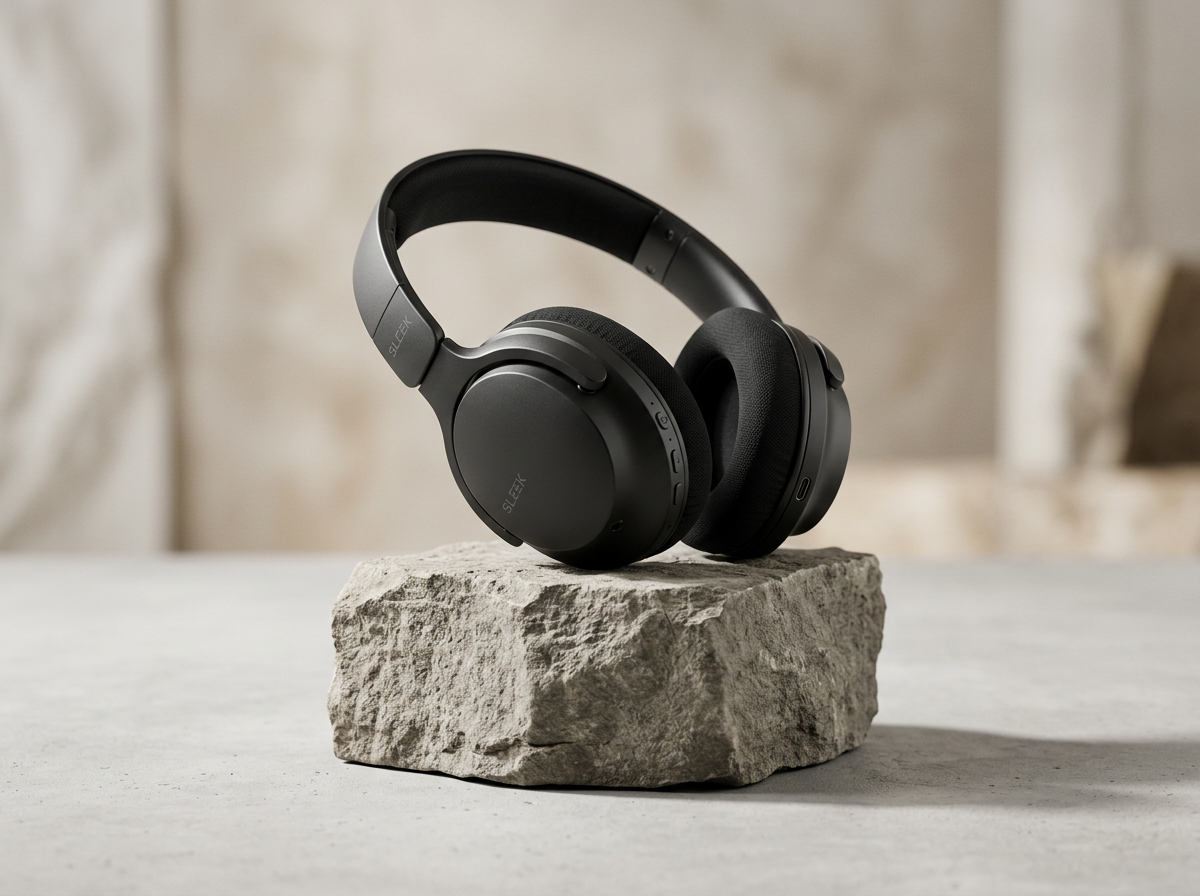
What happened: Clean and believable. Cool grey tones, a rough stone plinth and a soft shadow. This is usable as a store hero image as is.
See the same prompt on GPT Image 2.
3. Typography poster prompt
a minimalist poster that says COFFEE FIRST in bold serif type, cream background, small steaming cup icon below the text
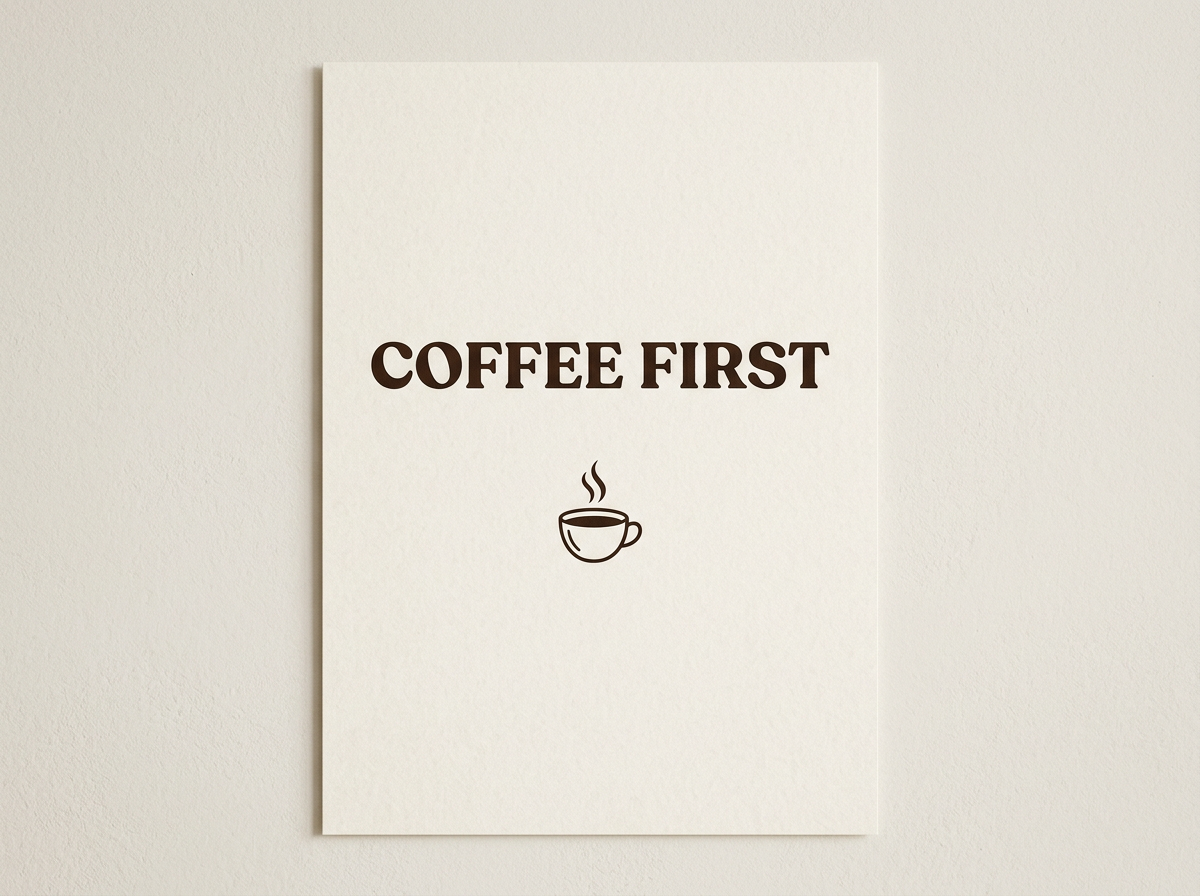
What happened: Spelled perfectly, in a heavy display serif, with a neat line-art cup. It rendered the design as a printed card on a wall rather than a flat poster file.
See the same prompt on GPT Image 2.
4. Illustration prompt
a detailed watercolor illustration of a fox reading a book under a giant mushroom in an autumn forest, warm colors
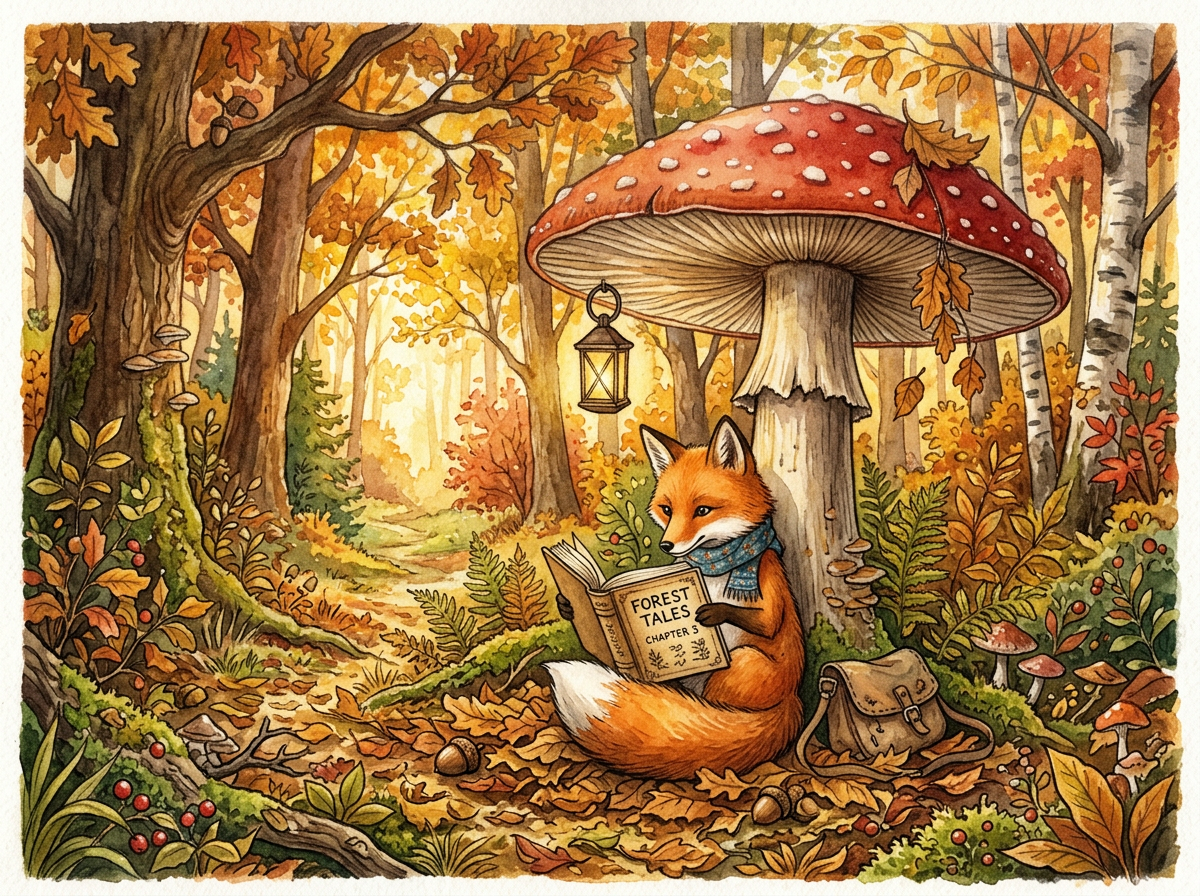
What happened: The richest image of the set: scarf, lantern, satchel and a legible book cover reading "Forest Tales, Chapter 5" that nobody asked for. Strong at storytelling detail.
See the same prompt on GPT Image 2.
5. Isometric scene prompt
an isometric illustration of a cozy home office with a wooden desk, monitor, plants and warm evening lighting, soft pastel palette
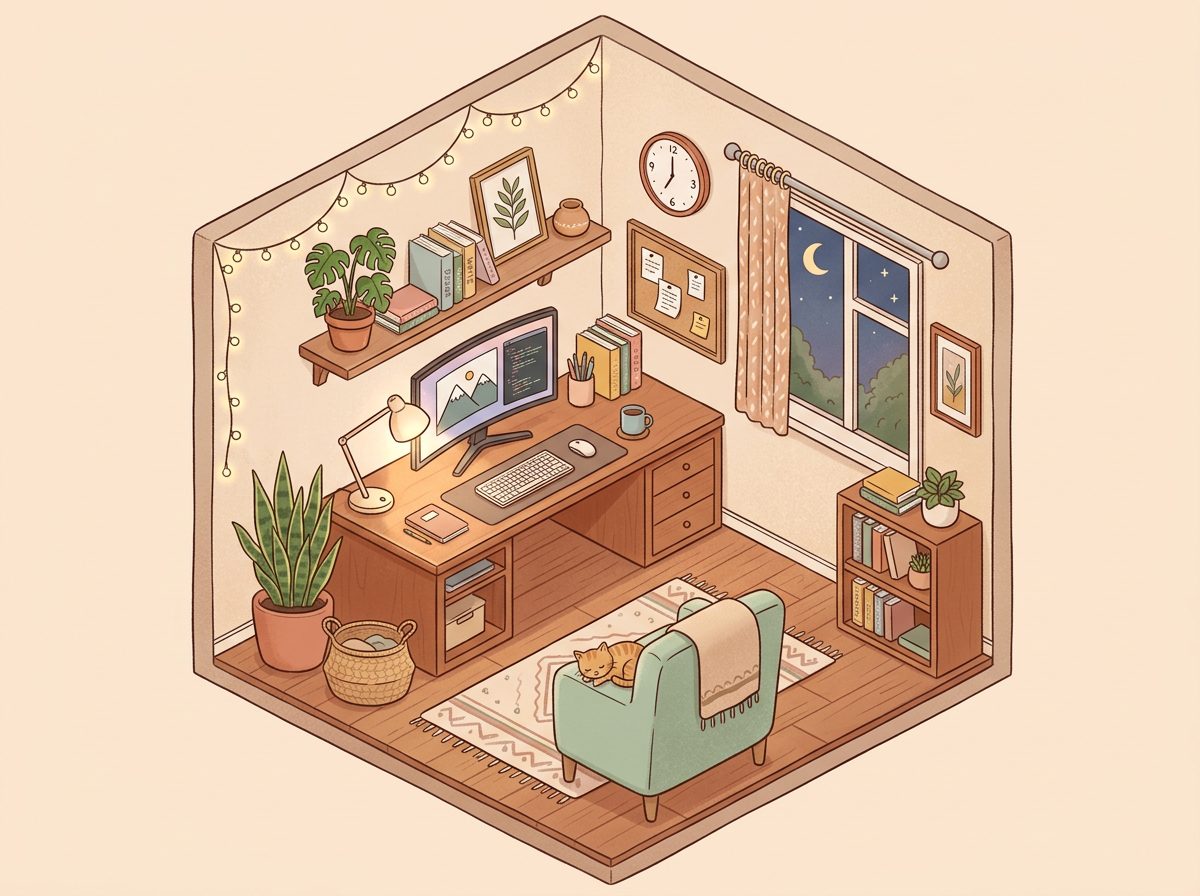
What happened: Nailed the brief. True isometric cutaway, soft pastel palette, string lights and a night window. Reads like a polished line illustration.
See the same prompt on GPT Image 2.
Nano Banana 2 vs GPT Image 2 on these 5 prompts
We ran the identical five prompts on OpenAI's GPT Image 2 for a direct comparison. Short version:
| Prompt | Nano Banana 2 | GPT Image 2 |
|---|---|---|
| Photo (bicycle) | Richer scene, added people and props | Closer to the literal brief |
| Product shot | Clean, cool tones | Clean, warm tones (tie) |
| Typography poster | Perfect spelling, shown as a print on a wall | Perfect spelling, flat print-ready layout (edge) |
| Illustration | Far more detail and storytelling (edge) | Simpler, poster-like |
| Isometric scene | Followed the pastel brief (win) | Ignored the pastel palette |
Neither model won outright. Nano Banana 2 is the storyteller, GPT Image 2 is the literalist. Full set: GPT Image 2 prompts.
8 copy-paste Nano Banana prompt templates
These templates use the same formula as the tested prompts above. Swap the brackets for your own details.
Product on a surface
a product photo of [your product] on a [marble / wooden / stone] surface, soft studio lighting, gentle shadow, premium ecommerce style
Lifestyle shot
a lifestyle photo of [your product] being used in a bright [kitchen / office / living room], natural window light, shallow depth of field
Text poster
a minimalist poster that says [YOUR TEXT] in bold [serif / sans serif] type, [color] background, small [icon] below the text
Social post graphic
a square social media graphic with the headline [YOUR HEADLINE], clean layout, [brand color] accents, plenty of white space
Children's book page
a detailed watercolor illustration of a [animal] [doing something] in a [place], warm colors, storybook style
Isometric explainer
an isometric illustration of a [room / workspace / store] with [3 key objects], soft pastel palette, clean line art
Cinematic portrait
a cinematic portrait of a [person description] in a [setting], golden hour light, shallow depth of field, 85mm lens look
Background swap (Edit mode)
place this product on a [new background], keep the product exactly the same, match the lighting and shadows
How to run these prompts
Paste any prompt into the Gemini app's Create images tool, or in Krater type /image, pick Nano Banana 2 and paste. Step-by-step with screenshots: How to use Nano Banana. Want to reuse a look you found online? Krater's free image to prompt tool turns any image into a prompt you can edit.
The useful part of running prompts in Krater is that one click reruns the same prompt on GPT Image 2 or another model, which is exactly how we built the comparison above. More on the model: Nano Banana 2 on Krater.
We build Krater, so weigh the Krater parts accordingly. Every image in this post was generated by us, not pulled from a press kit.
FAQ
What is the best Nano Banana prompt format?
One sentence with subject, setting, light and style, in that order. For example: a product photo of [item] on [surface], soft studio lighting, gentle shadow, premium ecommerce style.
Do these prompts work in the Gemini app too?
Yes. These are plain-language prompts with no Krater-specific syntax. Paste them into the Gemini app's Create images tool and you will get similar results, though every generation is a little different.
Can Nano Banana write text in images?
Yes, and well. Our COFFEE FIRST poster was spelled perfectly on the first attempt. Put the exact words in capitals or quotes and keep it short.
Why does Nano Banana add things I did not ask for?
Nano Banana 2 fills scenes with plausible detail. That is great for storytelling and annoying for clean product shots. Add what you do not want, such as "no people, plain background".