

How to Use GPT Image 2: Step-by-Step Guide With Real Outputs (2026)
Where to use GPT Image 2, the exact steps, and five real images we generated with it today, including where it nailed the brief and where it missed.
What GPT Image 2 is
GPT Image 2 (API id gpt-image-2) is OpenAI's image generation and editing model. OpenAI's own docs describe it as its model for "fast, high-quality image generation and editing" with flexible image sizes. It came to ChatGPT as ChatGPT Images 2.0 in April 2026. In September 2026 OpenAI added GPT Image 2.5 (Flare and Sunburst) to the API, but GPT Image 2 remains widely used and is the version we test here.
It runs at three quality levels, Low, Medium and High, and multiple sizes up to 4K. Quality is the setting that matters most for both results and cost.
Three ways to use GPT Image 2
1. ChatGPT
Ask ChatGPT for an image in any chat, or use the Images section in the sidebar. Free accounts can create images with a separate usage limit; paid plans get more. You do not choose the exact model version in ChatGPT.
2. The OpenAI API (for developers)
Call gpt-image-2 through the Image API or the Responses API and pay per token. Best if you are building it into a product.
3. Krater (GPT Image 2 next to 12 other image models)
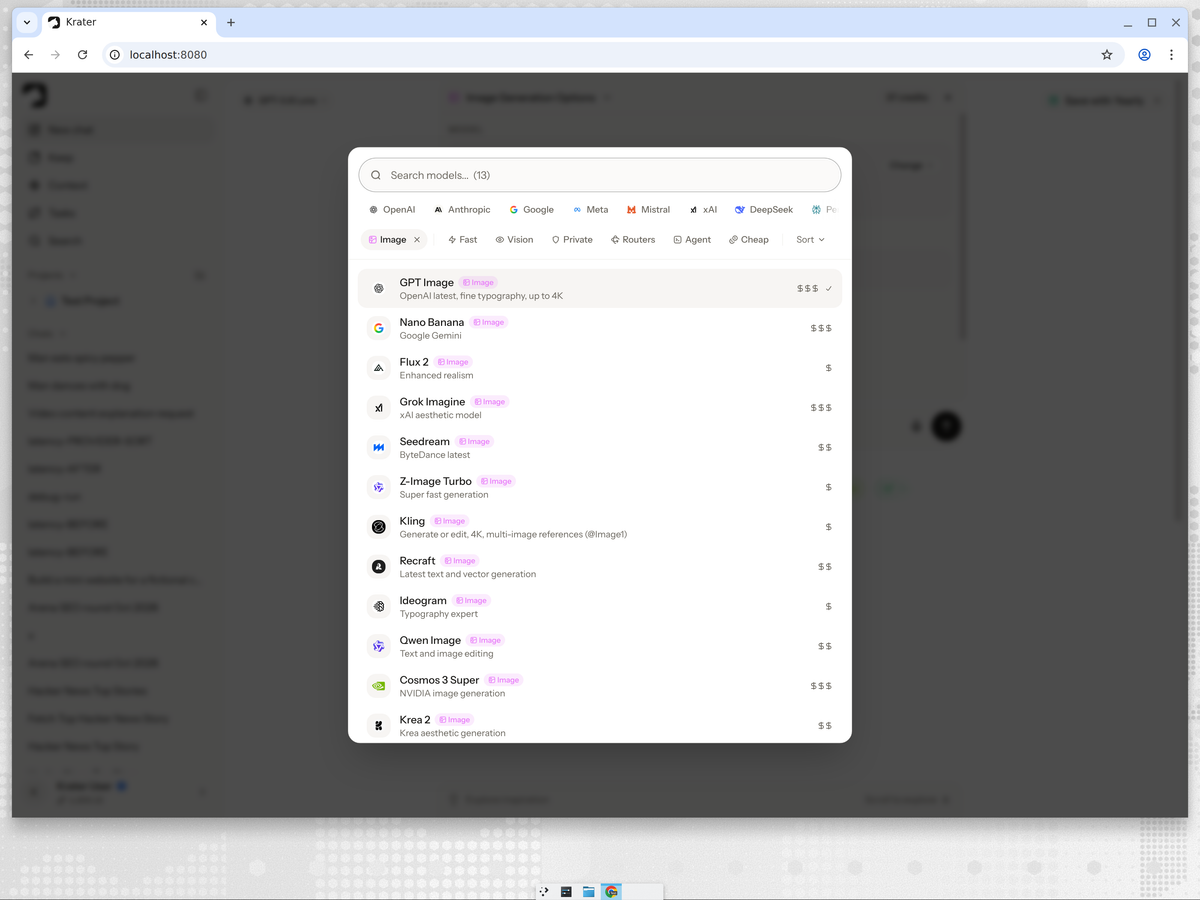
Krater lets you pick GPT Image 2 explicitly, set the quality, and rerun the same prompt on Nano Banana or another model in the same chat. Steps below.
How to use GPT Image 2 in Krater, step by step
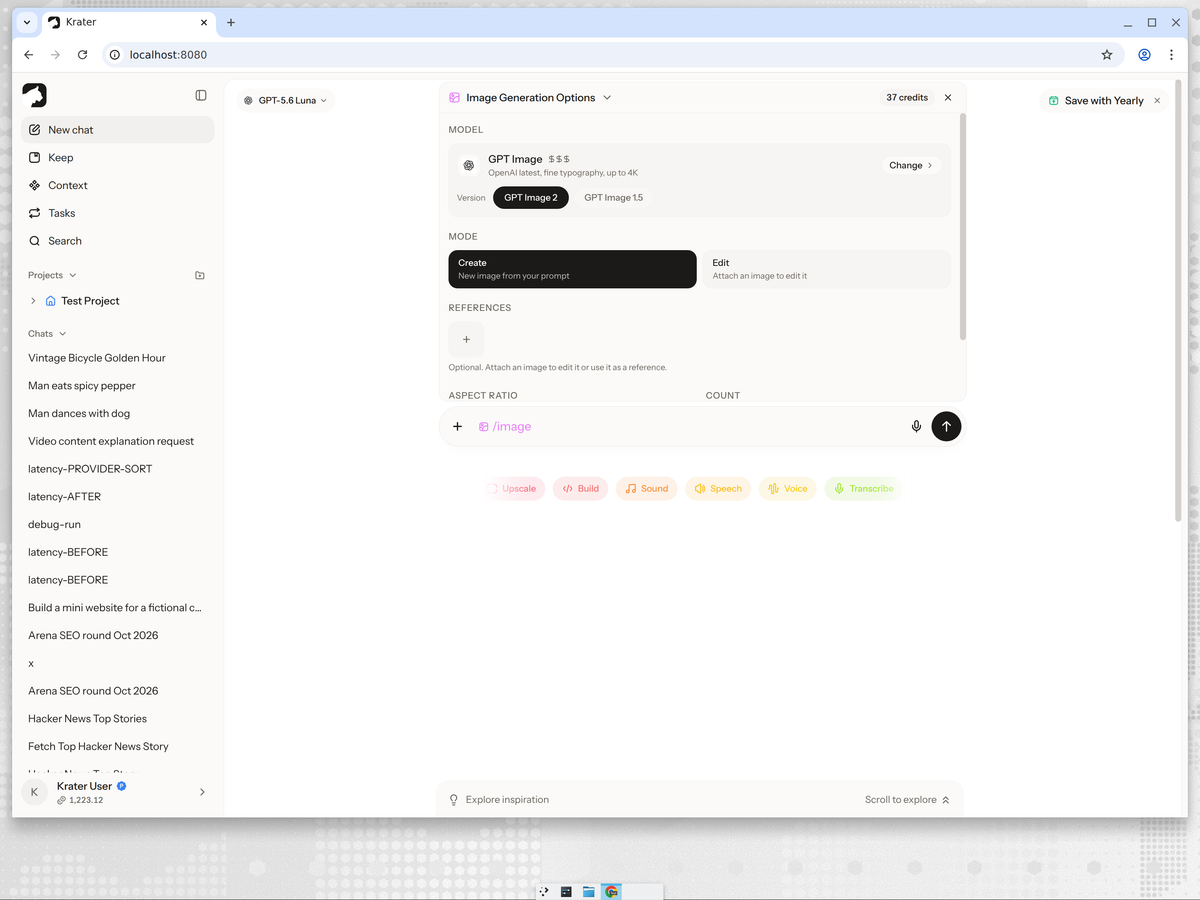
- Open a new chat and type /image. The Image Generation Options panel opens.
- Under Model, click Change and pick GPT Image.
- Choose Version: GPT Image 2 (GPT Image 1.5 is also available).
- Set the Quality and aspect ratio. The credit cost updates in the top right of the panel.
- Keep Mode on Create, or switch to Edit and attach up to 6 reference images.
- Type your prompt after /image and press Enter.
What GPT Image 2 actually produced: 5 real tests
Same five everyday prompts we ran on Nano Banana 2, first attempt each, no reruns.
1. Photo
Prompt: a cinematic photo of a red vintage bicycle leaning against a sunlit brick wall, shallow depth of field, golden hour light
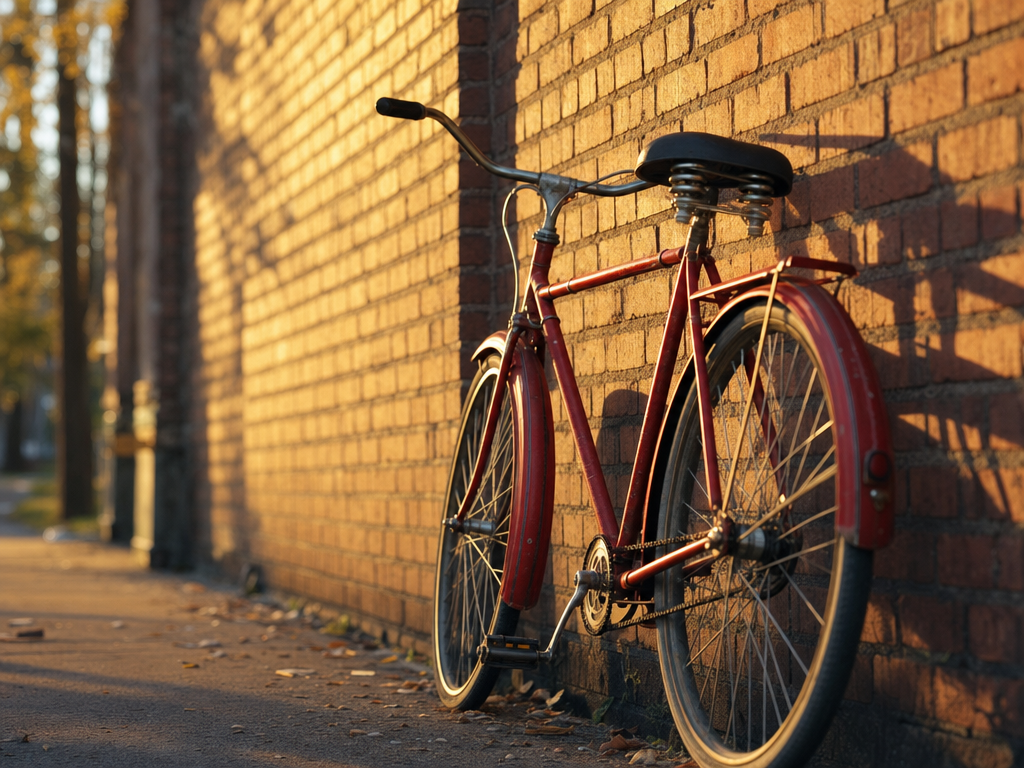
Closer to the literal prompt than Nano Banana 2: just the bike, the wall and long golden shadows, no extra people or props. Very photographic.
2. Product shot
Prompt: a product photo of matte black wireless headphones on a stone pedestal, soft studio lighting, gentle shadow, premium ecommerce style
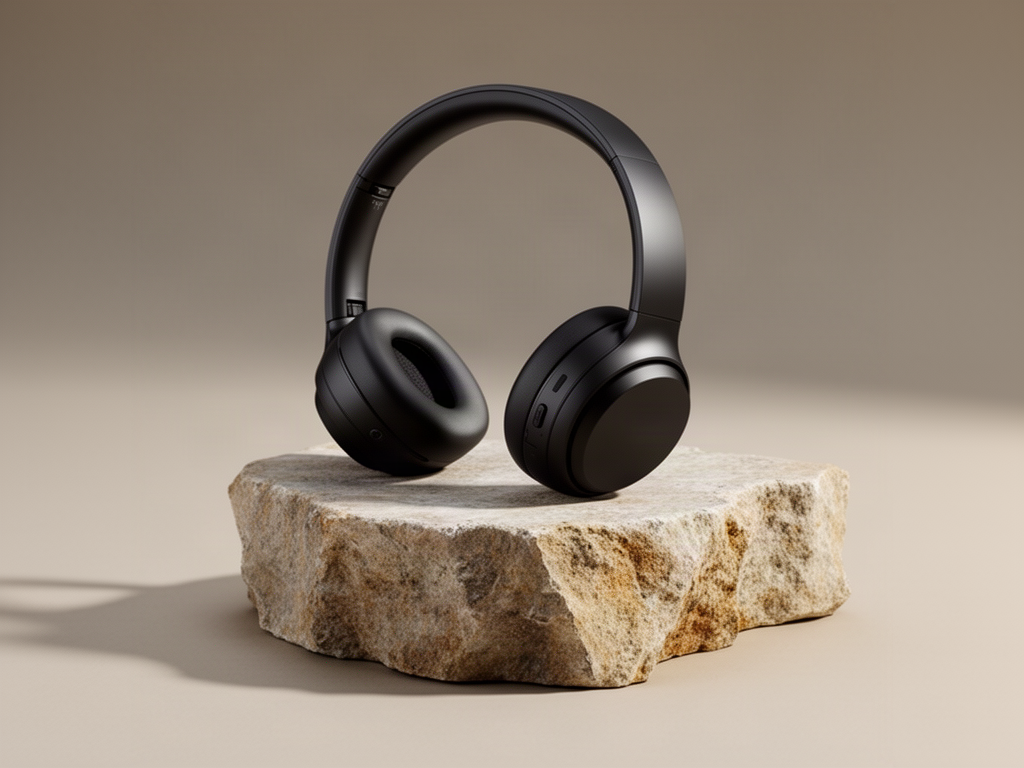
Almost interchangeable with the Nano Banana 2 shot, with warmer beige tones and a lighter stone. Clean enough for a product page.
3. Typography poster
Prompt: a minimalist poster that says COFFEE FIRST in bold serif type, cream background, small steaming cup icon below the text
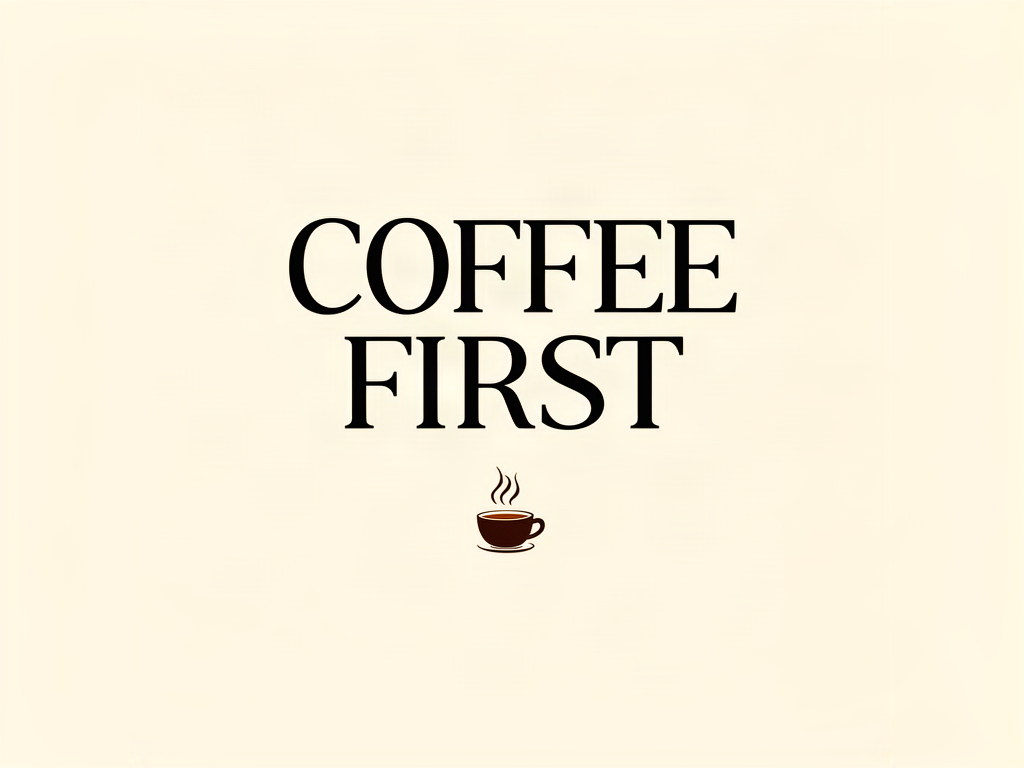
The best typography of all ten images. A classic high-contrast serif, perfect spelling, a flat print-ready layout and a small cup icon. Exactly the brief.
4. Illustration
Prompt: a detailed watercolor illustration of a fox reading a book under a giant mushroom in an autumn forest, warm colors
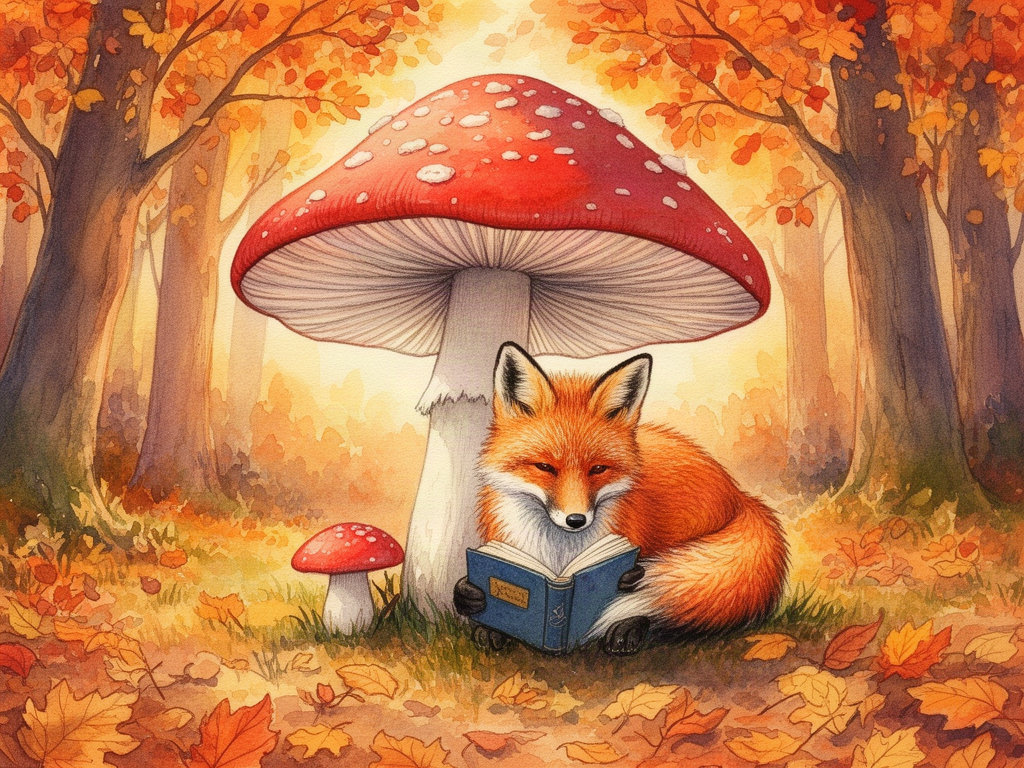
Softer and simpler than Nano Banana 2: a bold red mushroom, a fox curled up with a blue book, falling leaves. Less detail, more poster-like.
5. Isometric scene
Prompt: an isometric illustration of a cozy home office with a wooden desk, monitor, plants and warm evening lighting, soft pastel palette
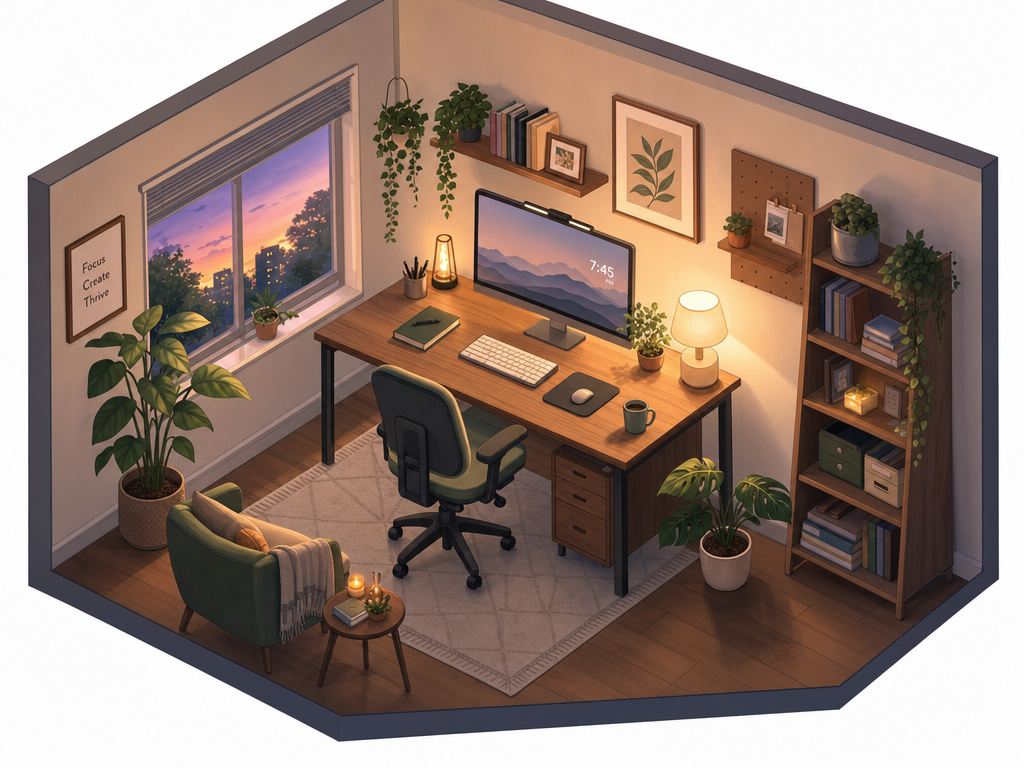
It ignored "soft pastel palette". Dark slate walls and a sunset window give a moody 3D render, not a pastel illustration. Good image, wrong brief.
Copy-paste versions and templates: GPT Image 2 prompts: 5 tested prompts. How Google's model handled the same five: How to use Nano Banana.
Tips that make GPT Image 2 better
- Use High for text. Typography is where it shines, and High quality is where it is most reliable.
- Repeat important style words. It dropped "soft pastel palette" on our isometric scene. If a style matters, state it twice or put it first.
- Draft on Medium, finish on High. In Krater, Medium at 4:3 is 10 credits against 37 for High.
- Be literal. It does what you write and rarely invents extra props, so describe everything you want in frame.
- Edit to fix, do not reroll. Switch to Edit and ask for one change; it keeps the rest of the image stable.
Why use GPT Image 2 inside Krater
- Choose the exact model and quality. No guessing which version made your image.
- Rerun on another model instantly. When GPT Image 2 ignored our pastel brief, Nano Banana 2 nailed it. Having both in one picker is the fix.
- One bill for everything. The same subscription covers 400+ AI models, video, voice and 1,400+ app connections. See Krater pricing.
We build Krater, so weigh the Krater parts accordingly. Every image in this post was generated by us, not pulled from a press kit.
FAQ
Is GPT Image 2 the same as ChatGPT image generation?
GPT Image 2 is OpenAI's image model, available in the API and behind ChatGPT's image tool when it launched in April 2026. OpenAI has since released GPT Image 2.5 in the API. In Krater you pick GPT Image 2 explicitly, so you always know which model made your image.
What quality setting should I use?
High for finals, especially anything with text. Medium is roughly a quarter of the cost and fine for drafts. Low is for fast idea sketches.
Can GPT Image 2 edit my own images?
Yes. In Krater switch the mode to Edit and attach up to 6 reference images. It is especially good at keeping text and layout intact during edits.
Is GPT Image 2 good at text?
It produced the best typography in our ten-image test: a perfectly spelled, print-ready serif poster on the first attempt.
Is GPT Image 2 free?
Free ChatGPT accounts can create images with limits. The API and Krater are paid. Full breakdown: Is GPT Image 2 free?